


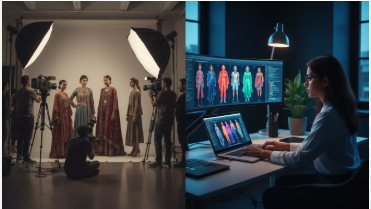
Fashion and lifestyle content often starts with a still image: an outfit photo, a beauty detail, a mood-board shot, an interior corner, a travel look, or a campaign still. The challenge is that feeds move quickly, and even strong stills can disappear between louder posts.
AI video gives creators a way to add movement without planning a full shoot. The trick is to keep the style intact. A lookbook teaser should make the image feel more alive, not change the outfit, face, fabric, space, or mood.
For creators who already have edited images, image to video ai can become a practical step in the content workflow: choose the strongest still, write a detail-preserving prompt, generate a short clip, and publish it with a caption that matches the visual tone.
What Makes a Good Lookbook Teaser
A good teaser does one thing clearly. It might highlight a silhouette, show the mood of a collection, create a slow outfit reveal, or add atmosphere around a location.
It should not:
- Change the garment shape
- Alter skin tone or makeup
- Distort accessories
- Add fake people
- Change brand logos
- Invent movement that looks unnatural
- Make the location look different from the original photo
Fashion content depends on details. If the details change, the clip becomes less useful.
The Lookbook Motion Matrix
| Source image | Best motion | Use case | Review carefully |
| Full outfit photo | Slow vertical reveal | Reel teaser, collection post | Face, hands, garment edges |
| Fabric or accessory detail | Macro push-in | Story, product note, mood post | Texture, logo, color |
| Street style image | Gentle side pan | Lifestyle recap | Background distortion |
| Beauty close-up | Minimal focus shift | Beauty story | Skin, makeup, eyes, lips |
| Interior or hotel image | Slow room drift | Lifestyle feature | Space, furniture, lighting |
| Mood-board image | Soft layered movement | Editorial teaser | Text, cutouts, proportions |
The safest creative direction is usually “one subtle motion.” When a clip tries to move everything, the result often feels less premium.
Prompt Template for Fashion and Lifestyle Images
Create a short 6-second lookbook teaser from this image.
Keep the person, outfit, fabric, accessories, makeup, skin tone, background, colors, and styling unchanged.
Add only a subtle camera movement that highlights the mood of the image.
Do not change the garment shape, face, hands, logo, location, or lighting style.
The final video should feel editorial, calm, and faithful to the original photo.
If the image contains text or a brand name, add:
Keep all text and logos sharp, readable, and unchanged.
Five Teaser Ideas
1. Outfit detail teaser
Use a crop of the jacket, dress, shoes, bag, jewelry, or layered styling. Add a slow push-in to show texture.
2. Collection mood teaser
Use a campaign still or mood-board image. Add soft depth and a calm reveal. Keep the visual language consistent with the collection.
3. Beauty look teaser
Use a makeup, skincare, or hair image only when you can review the face closely. Avoid strong motion around facial features.
4. Lifestyle location teaser
Use a hotel corner, cafe table, street scene, or travel outfit photo. Add a gentle camera drift and keep the space accurate.
5. Editorial announcement teaser
Use a cover image, article header, or lookbook title card. Add motion to the background, then add final text manually if needed.
Publishing Checklist
- The clip still looks like the original image.
- Clothing, accessories, makeup, and face details are accurate.
- Logos and text are readable.
- The caption does not imply a real filmed moment if the clip is AI-assisted.
- The aspect ratio matches the channel.
- The motion fits the brand mood.
- The final version is reviewed on mobile.
FAQ
Can AI video be used for fashion lookbooks?
Yes, especially for short teasers, social posts, and mood clips. It should protect garment details and styling.
What fashion images work best?
Clean outfit photos, accessory close-ups, editorial stills, fabric details, beauty shots, and lifestyle location images are good starting points.
Should creators animate faces?
Use caution. Subtle camera motion around a portrait is safer than trying to change expression or create facial movement.
How long should a lookbook teaser be?
Five to eight seconds is usually enough for social media. The caption can provide context.
Can AI video change fabric or color?
It can, which is why review matters. If fabric texture, color, or garment shape changes, reject the clip.
Is this useful for small creators?
Yes. It lets small creators reuse strong stills without booking another shoot for every post.
Conclusion
AI video can help fashion and lifestyle creators make existing images more useful, but the best results are restrained. Keep the styling accurate, choose one motion, and let the original visual do the work.
A good lookbook teaser should feel like a polished extension of the shoot, not a replacement for it.