



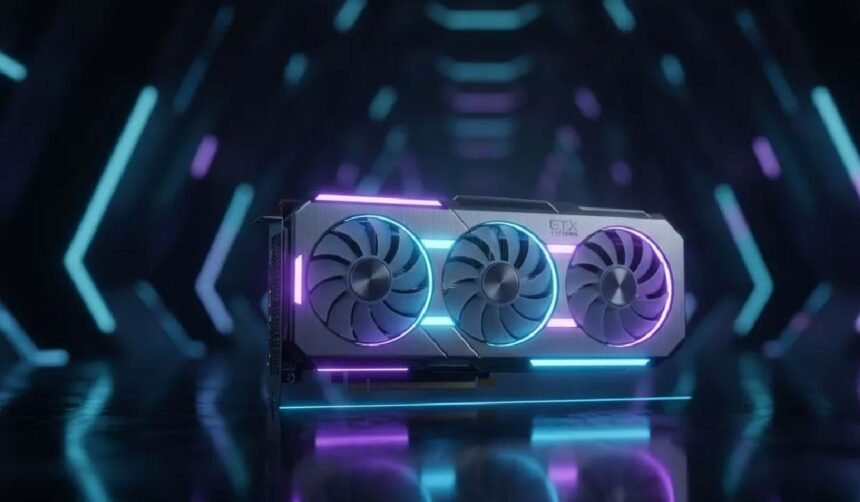
Most large investments in a Workstation start with the Graphics Card. The Graphics Card is the largest single investment in your Workstation, so it would make sense to start to think about buying the Graphics Card in a similar way to buying a car. Most people start by looking at price and brand, and then finally look at the car’s features and how they will be able to use the car. This is the complete opposite way to how one should start looking for a professional Graphics Card.
As far as the Graphics Cards made for Professional use go, there are Graphics Cards that are for very specific type of jobs, and others are just for certain type of workload. For example, typical Gaming Graphics Cards are primarily DirectX 9 and 10 Cards that are made to crank out as many frames per second as possible in a given game. These types of Graphics Cards do not typically make for good Professional Graphics Cards for a variety of reasons, for starters they are typically purchased by consumers for gaming, and secondly most Gaming Graphics Cards are typically sold with consumer level drivers.
The difference matters more than most people realize.
Understanding Your Workload Requirements
Make a list of the software that you use on a monthly basis to do work. Go through each of the applications that you use, and for each application, determine how much time you spend using it to do work, and also factor in the level of stress and/or pain and/or frustration that you feel when using that application to do work. That will help you determine how many OpenGL frames per second that you need to render in order to do your work, and that in turn will help you to make a determination of whether or not a particular card is sufficient to meet your needs.
As a designer and engineer you need to render OpenGL based 2D and 3D scenes. There are many professional CAD applications out there such as SolidWorks, AutoCAD and Fusion 360. All of these applications require OpenGL rendering and good OpenGL driver support from your professional graphics card. Not only do these applications require OpenGL rendering, they also require a lot of single-precision floating point calculations. In terms of memory, most designers and engineers can get by with 8GB to 16GB of VRAM for their professional workloads. Large assemblies and complex surfaces may require more. That being said, there are many great options in terms of professional graphics cards that can handle all of the above mentioned workloads.
3D Rendering – CPU or GPU? Now we get to a key point when it comes to workstations and how they’re going to be used. If you do a lot of 3D rendering, you have to understand if you’re working with a CPU-based renderer or a GPU-based renderer. For CPU-based renderers like V-Ray or Corona, your computer’s Graphics Card is only used to render your preview in the viewport, and also for GPU-accelerated preview rendering. On the other hand, GPU-based renderers such as Octane, Redshift or Cycles are 100% graphics card computation. This type of software is typically used by architects for architectural visualization. When choosing a Graphics Card for rendering, the number of CUDA cores, as well as the amount of VRAM, are important. We recommend a minimum of 16GB of VRAM, and a high number of CUDA cores. In addition, it’s very important to use high-resolution textures to create complex scenes.
When the primary workload consists of entirely AI and/or Machine Learning type tasks, the typical graphics workloads typically used to compare workstations must be re-examined when determining the appropriate workstation graphics card. Instead of comparing Tensor Performance between 2 different GPU’s using tasks that rely heavily on the graphics card, such as traditional 3D rendering and interactive Graphics Design and CAD work, a greater emphasis is typically placed on the workstation’s processor(s) – specifically focusing on how well the processor(s) can perform Parallel Processing for large amounts of data. The data itself, for such workloads, can consist of a massive amount of information which requires a substantial amount of Video RAM in order to store that information for processing. For such workloads, a more powerful processor and ample memory would typically be the primary components to focus on when selecting the appropriate workstation platform. That being said, for many AI and ML type workloads, a dedicated NVIDIA RTX A4000 professional graphics card would be a great choice. Not only does the RTX A4000 feature 16GB of GDDR6 memory, but also it is well-equipped to handle enhanced ray tracing and AI inference tasks as well.
In video editing the work of a graphics card consists of two main aspects: Firstly the hardware encoding of recorded material and secondly the large amounts of VRAM required to create smooth preview playback while scrubbing through the project through the timeline. As with the computation-intensive effects also in video editing a good performing graphics card is highly recommended.
Memory and Performance Scaling
In the case of rendering tasks, the amount of RAM on the graphics card is more important than the number of cores. If the RAM on a graphics card is full, then performance will begin to drop as the system starts to render from the RAM on the main system memory across the slower PCIe bus.
Graphics Memory Bandwidth is also a critical feature of professional graphics cards. It defines how fast a GPU can access its memory on the card. In other words, it measures how quickly a graphics card can perform operations involving data that is stored in its own memory, such as texture lookup, data transfer, etc. For instance, graphics cards with higher memory bandwidth will be able to handle texture-rich applications better and allow applications to scale better with increased amount of graphics memory.
When selecting a graphics card for your workstation or server it is also very important to take into consideration the future growth of your projects and capacity. As projects and the amount of data involved with them increase in complexity, the requirements on the graphics card in terms of processing power will also increase. A graphics card that can process today’s projects efficiently may not be sufficient to process next year’s projects.
Software Certification Matters
Most professional graphics cards have what’s known as ISV certification – or Independent Software Vendor certification. This typically means that a card has been tested and qualified to run within a variety of versions of many of the major professional software packages (on both 32 and 64 bit platforms). As a consumer, this is something to look for from the manufacturers of professional graphics cards, as it generally means that the bulk of work required to provide full support for a particular application has already been done by someone else. You can also typically expect to see that a manufacturer has gone the extra mile and written a whole set of ‘optimized’ drivers (be they primary or secondary) for the majority of the major, professional ISV applications, which would have been through a particularly rigorous qualification process. These primary and secondary drivers (for
Professional workstation video cards are supported by professional workstation video drivers. These drivers are typically tested for longer periods of time and contain more functions and test cases than typical consumer video drivers. Therefore, they can handle professional applications and test cases, which help reduce bugs and errors in the field.
Infrastructure Considerations
When a professional graphics card is in use it will typically be running at very high levels of utilization (compared to games for example that are only switched on from time to time to play DirectX games for example). As a result of this, the cooling solution in a workstation is an important consideration. A poorly designed cooling solution can lead to the graphics card overheating and as a result be downed for periods of time, being restricted in performance to prevent damage. This can have a major impact on a user’s productivity, as smooth performing graphics are important to allow users to work in the best possible manner.
Note: Also consider how much power a given graphics card will draw, and how much space it will take up in your computer case, as well as how much it will cost to run. Some professional graphics cards have two 8-pin power connectors, and draw over 300 watts of power. For example, a 300W graphics card, and a 150W CPU, would require a 450W power supply, for these two components alone.
Making the Decision
You can even set up a weighted scoring system for these key features of graphics cards, with the following as a rough guideline: the amount of VRAM required for your software of choice, the Graphics Processing Power of your card, the amount of software that is ISV certified to run on the card and your budget for the Graphics Card. Many vendors now allow for the return of evaluation models past their standard return period.
Match the specific capabilities of the professional graphics cards on the market with your particular needs and NOT go for the average or peak number of specs listed for each card. A good pair of professional graphics cards can transform your life of constant hard work into one of smooth sailing!