



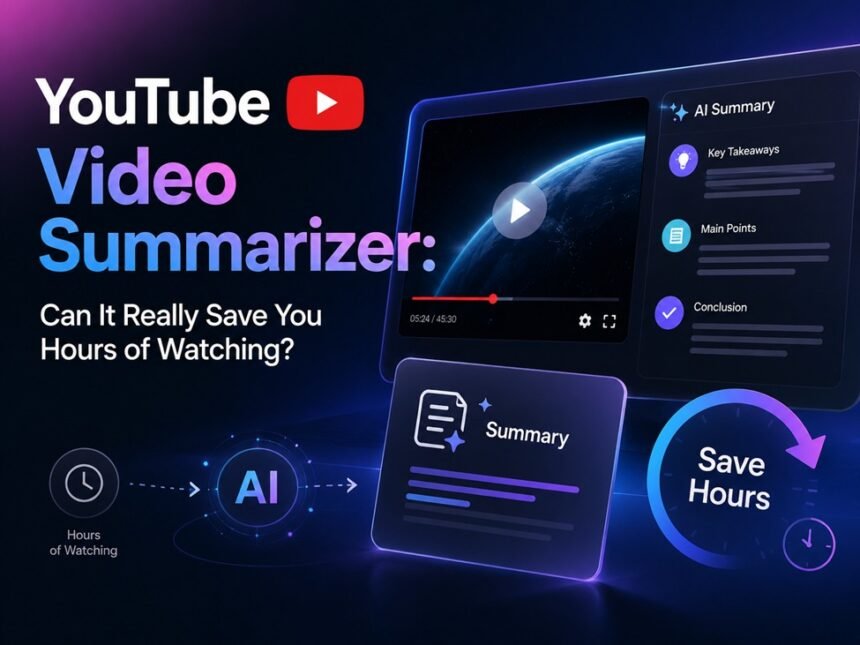
There was a time when I genuinely enjoyed watching long YouTube videos from start to finish. Tutorials, podcasts, interviews, productivity breakdowns — it all felt useful. But lately, the amount of content online has become overwhelming. A single “quick explanation” video somehow turns into 48 minutes. A course recap stretches past an hour. Even educational channels often spend the first few minutes repeating points before getting to the real takeaway.
That’s exactly why the rise of the YouTube Video Summarizer market makes sense.
Instead of forcing users to sit through entire videos, these tools promise something much simpler: extract the important points, cut the fluff, and help people understand videos in minutes instead of hours. At first, I honestly assumed most of these tools would feel robotic or inaccurate. But after testing several options over the past few months, I realized some of them are surprisingly practical — especially for students, remote workers, researchers, and people who consume large amounts of online content every day.
In this article, I’ll break down what a YouTube Video Summarizer actually is, the most valuable features worth paying attention to, the real-world benefits, the downsides people should know before using one, and who these tools are genuinely best suited for.
What Is a YouTube Video Summarizer?
A YouTube Video Summarizer is an AI-powered tool that analyzes YouTube videos and converts them into shorter, digestible summaries. Depending on the platform, the summary may appear as:
- Bullet points
- Key takeaways
- Short paragraphs
- Timestamped highlights
- Study notes
- Mind maps
- Action items
- Transcript summaries
Most tools work by taking a YouTube link, extracting the transcript or audio, and using AI models to identify the core ideas of the video.
The reason these tools exploded recently is simple: people want information faster.
Modern users are constantly balancing work, study, entertainment, and endless online content. Sitting through multiple one-hour videos every day simply isn’t realistic anymore. A good summarizer helps reduce information overload while still keeping the valuable insights intact.
And honestly, after using them consistently, I’ve noticed something interesting: it’s not only about saving time. Sometimes it actually improves focus. When the unnecessary filler disappears, the learning experience feels cleaner and less mentally exhausting.
Core Features That Actually Matter
Not every YouTube Video Summarizer is equally useful. Some only generate rough transcripts, while others genuinely help organize information in a meaningful way. Here are the features I found most valuable during testing.
1. Instant AI Summaries
The main attraction is obviously the automatic summary generation.
You paste a YouTube link, wait a few seconds, and receive a condensed version of the video’s key ideas. The better tools usually structure the information clearly instead of dumping random sentences together.
What surprised me most was how effective this becomes with long-form content. I tested a two-hour podcast episode that discussed startup growth strategies. Instead of manually skipping through sections, the summarizer extracted the major discussion points almost immediately.
For users who watch educational videos daily, this alone can save an incredible amount of time.
User Value
- Avoid wasting time on low-value videos
- Understand lengthy content faster
- Preview videos before deciding to watch fully
- Reduce information fatigue
I especially found this useful late at night when I wanted the information from a video but didn’t have the energy to sit through the entire thing.
2. Timestamped Highlights
One feature I didn’t expect to care about turned out to be one of the most useful: timestamps.
Instead of giving only a text summary, some tools organize important points alongside timestamps. That means you can jump directly to the section you care about.
For example:
- Introduction → skip
- Sponsor segment → skip
- Core explanation starts at 6:42 → jump immediately
This sounds small, but in practice it completely changes the viewing experience.
User Value
- Navigate videos more efficiently
- Avoid filler sections
- Rewatch important moments quickly
- Improve research workflows
If you’re someone who constantly watches tutorials or lectures, timestamp support becomes incredibly practical.
3. Multi-Language Support
A surprisingly strong feature in newer summarizers is multilingual support.
Some tools can summarize videos in dozens or even hundreds of languages. That means users are no longer limited to English content. You can summarize Japanese interviews, Spanish tutorials, Korean educational content, or multilingual podcasts.
I tested this with several non-English videos, and while accuracy still varies depending on audio quality and subtitles, the results were much better than I expected.
User Value
- Access global content more easily
- Learn from creators outside your native language
- Improve international research
- Save time translating manually
This becomes especially valuable for students, researchers, or creators who follow international trends.
4. Smart Note Generation
Some advanced YouTube Video Summarizers go beyond summaries and generate structured notes.
Instead of only shortening content, they organize the information into:
- Study notes
- Actionable insights
- Topic breakdowns
- Flashcards
- Mind maps
This is where the product starts feeling less like a simple summarizer and more like a productivity tool.
I tested this feature while reviewing a long productivity lecture. The generated notes weren’t perfect, but they gave me a surprisingly solid foundation to build from. Instead of starting from scratch, I already had organized points ready for review.
User Value
- Faster studying
- Better knowledge retention
- Easier meeting preparation
- Improved learning efficiency
For students especially, this can dramatically reduce the amount of manual note-taking required.
5. Transcript Extraction
Sometimes users don’t even want summaries — they just want the transcript.
Good summarizers often include transcript export features that allow users to:
- Copy subtitles
- Download transcripts
- Convert speech into searchable text
This becomes useful for creators, researchers, journalists, or anyone repurposing content.
User Value
- Search through long videos instantly
- Repurpose content into blogs or posts
- Quote information accurately
- Improve accessibility
I’ve personally found transcripts extremely useful when revisiting tutorial videos months later. Searching text is far easier than scanning through a 90-minute video timeline.
Real-Life Scenarios Where YouTube Video Summarizers Shine
The biggest strength of these tools is how naturally they fit into daily life.
For Students
Imagine preparing for exams while juggling multiple lecture videos. Instead of spending six straight hours watching content, a summarizer helps identify:
- Important concepts
- Repeated exam topics
- Key definitions
- Main arguments
It doesn’t fully replace watching lectures, but it makes review sessions dramatically faster.
For Busy Professionals
A lot of professionals consume YouTube content for learning:
- Marketing trends
- Coding tutorials
- Finance updates
- Business interviews
But after work, mental energy is limited.
A summarizer helps filter which videos are actually worth your attention. I’ve personally avoided countless low-value videos simply by reading summaries first.
For Content Creators
Creators constantly research trends and competitors. Watching dozens of videos daily becomes exhausting.
Using summaries allows creators to:
- Analyze content faster
- Gather ideas quickly
- Identify trends
- Save research time
Honestly, this might be one of the strongest use cases overall.
Pros & Cons of Using a YouTube Video Summarizer
After trying several tools, the one I ended up using most often was an AI Video Summarizer that was completely free and didn’t even require login. Honestly, that alone already made a huge difference for me. A lot of platforms advertise “free use,” but after two or three summaries, they suddenly ask for subscriptions or credits. This one felt refreshingly simple: paste the YouTube link, wait a few seconds, and the summary appears almost instantly.
What impressed me most was the balance between speed and readability. The summaries didn’t feel like random transcript chunks stitched together. In many cases, the AI actually identified the main discussion points surprisingly well, especially for tutorials, podcasts, interviews, and educational videos. I also liked that I could quickly summarize long videos late at night without creating yet another account online.
Pros
100% Free to Use
No hidden paywalls or limited daily credits during my testing. That immediately removes a lot of friction for casual users.
No Login Required
This sounds small, but it genuinely improves the experience. You can open the tool and start summarizing immediately without giving away personal information.
Fast Summary Generation
Most videos were summarized within seconds, even longer content like lectures or podcasts.
Surprisingly Accurate Results
For informational videos, the summaries usually captured the key ideas well enough that I could decide whether the full video was worth watching.
Helpful for Long Educational Content
I found it especially useful for tutorials, business discussions, productivity videos, and study materials where creators often stretch simple ideas across 20–40 minutes.
Cons
Very Complex Discussions Can Lose Some Nuance
For deep debates or emotional storytelling videos, the AI occasionally simplifies certain ideas too much. The core message is still there, but some context can disappear.
Summary Quality Still Depends on the Original Video Audio
If the speaker’s microphone is poor or the video has heavy background noise, the generated summary may become less clean or slightly confusing in certain sections.
Overall though, those downsides felt relatively minor compared to the amount of time the tool saved me. For everyday learning and research, the convenience was genuinely hard to ignore.
My Overall Experience After Testing Multiple Tools
What surprised me most is how quickly YouTube Video Summarizers became part of my normal workflow.
At first, I treated them as novelty tools. But over time, they started replacing my habit of endlessly scrubbing through timelines manually.
The best experience usually comes from combining summaries with selective watching:
- Read the summary first
- Jump to important timestamps
- Watch only valuable sections
That workflow feels incredibly efficient without completely sacrificing depth.
I also noticed these tools are particularly useful during periods of mental exhaustion. On busy days, watching long educational content can feel overwhelming. A concise summary lowers the barrier to learning.
Final Verdict: Who Should Use a YouTube Video Summarizer?
A YouTube Video Summarizer is best suited for people who consume large amounts of informational content regularly.
It’s especially valuable for:
- Students
- Researchers
- Busy professionals
- Content creators
- Online learners
- Remote workers
- People with limited free time
If your goal is to learn faster, filter information more efficiently, and avoid wasting hours on low-value videos, these tools genuinely help.
However, I wouldn’t recommend relying on summaries alone for everything. Deep learning still requires full attention sometimes. Long-form discussions, emotional storytelling, and complex educational topics often benefit from proper viewing.
The sweet spot is using summarizers as a smart filter rather than a total replacement.
And honestly, that’s where these tools feel most impressive: not because they eliminate YouTube videos entirely, but because they help users spend their attention more intentionally.