



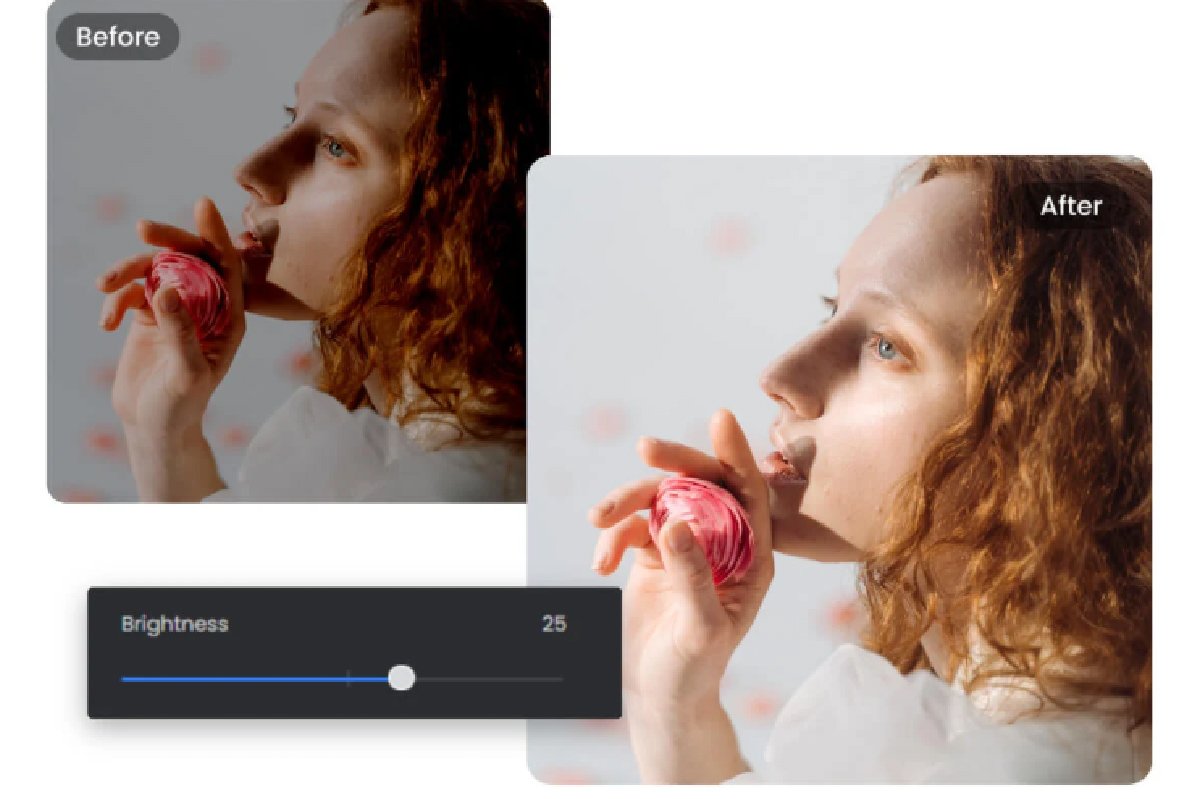
Have you ever taken a photo that looked amazing in real life—but dull, flat, or lifeless on your screen? This is a common issue caused by lighting conditions, camera limitations, or incorrect settings. Fortunately, with today’s tools, learning how to enhance a photo is easier than ever.
Whether you’re using a smartphone or a computer, you can quickly enhance photo color and bring your images back to life with just a few adjustments—or even automatically using AI.
What You’ll Learn in This Guide
- The basic principles behind color enhancement
- How to improve photo colors on your phone
- How to enhance images on a PC using AI and manual tools
- Fixes for common color problems
Let’s start with the fundamentals.
1. Core Principles of Enhancing Photo Color
Before jumping into tools, it’s important to understand the key elements that affect how colors appear in your photos.
1.1 Exposure vs. Brightness
- Exposure controls how much light enters the image when it’s captured.
- Brightness adjusts how light or dark the image appears during editing.
If your photo looks too dark, increasing brightness helps—but adjusting exposure gives more natural results.
1.2 Saturation vs. Vibrance
- Saturation increases the intensity of all colors equally
- Vibrance selectively boosts dull colors while protecting skin tones
A good photo color editor will offer both options, allowing more precise control.
1.3 Contrast & Color Depth
- Contrast defines the difference between light and dark areas
- Higher contrast makes colors pop, while low contrast makes images look flat
Adjusting contrast is one of the fastest ways to enhance photo color.
1.4 White Balance & Temperature
- White balance ensures colors look natural
- Temperature shifts tones between warm (yellow/orange) and cool (blue)
Incorrect white balance often causes unnatural color casts—something we’ll fix later.
2. Quick Fix: Enhance Photo Color on Phone
Smartphones now come with powerful editing tools, making it incredibly easy to improve your photos on the go.
2.1 Enhance Photo Color with Built-in Photos App
Most phones include a default editing app that can handle basic adjustments.
Steps:
- Open your photo in the gallery
- Tap “Edit”
- Adjust:
- Brightness
- Contrast
- Saturation
- Warmth
These simple tweaks can instantly improve dull images.
Many phones also include auto-enhance features powered by an ai photo enhancer, which can optimize colors with a single tap.
2.2 Enhance Photo Color with Photo Editors
If you want more control, try third-party apps like VSCO.
Why Use VSCO?
- Advanced filters designed for natural color grading
- Fine-tuned controls for exposure, contrast, and color
- Easy-to-use interface for beginners
Apps like VSCO act as a powerful AI photo color editor, giving you both automatic and manual editing options.
3. How to Enhance Photo Color on PC
Editing photos on a PC gives you more precision and advanced tools—especially when working with high-resolution images.
3.1 Enhance Photo Color with AI Photo Enhancer
AI tools are the fastest way to improve photo colors without manual adjustments.
Recommended Tool: Leawo Photo Enhancer
Leawo Photo Enhancer is a powerful solution designed to automatically improve image quality and colors.
Key Features:
- One-click color correction
- Noise reduction for low-light images
- Automatic exposure and contrast adjustment
- Batch processing for multiple photos
Using an ai photo colorizer like this saves time while delivering professional-quality results. It’s especially useful for beginners who want quick improvements without learning complex editing techniques.
3.2 Enhance Photo Color Manually
For more control, you can edit photos manually using professional tools like Adobe Photoshop.
Basic Workflow in Photoshop:
- Adjust Levels or Curves for brightness and contrast
- Modify Hue/Saturation for color intensity
- Use Color Balance to correct tones
- Fine-tune Selective Color for specific adjustments
Manual editing gives you full control over every aspect of your image, making it ideal for photographers and designers.
4. How to Fix Specific Color Problems
Sometimes, photos have specific issues that require targeted fixes. Here’s how to handle the most common ones.
4.1 Fix Washed-Out Photos
Problem: Colors look faded and lack intensity
Solution:
- Increase contrast
- Boost vibrance instead of saturation
- Slightly lower highlights
Using a good photo color editor makes this process quick and effective.
4.2 Correct Color Cast
Problem: Image has an unnatural tint (too blue, yellow, or green)
Solution:
- Adjust white balance
- Use temperature and tint sliders
- Apply auto-correction via an ai photo enhancer
This is one of the most common issues, especially in indoor or mixed lighting conditions.
4.3 Enhance Night or Low-Light Photos
Problem: Dark images with noise and poor color quality
Solution:
- Increase exposure carefully
- Reduce noise using AI tools
- Boost shadows and adjust contrast
Tools like AI photo color editor software can significantly improve low-light images by restoring detail and color.
5. Conclusion
Enhancing photo color doesn’t have to be complicated. Whether you’re using a smartphone or a PC, there are plenty of tools and techniques to make your images look vibrant and professional.
Key Takeaways:
- Understand the basics: exposure, saturation, contrast, and white balance
- Use built-in phone apps for quick edits
- Try advanced apps like VSCO for more creative control
- Use AI tools like Leawo Photo Enhancer for fast, automatic improvements
- Switch to manual editing tools like Adobe Photoshop for precision work
With the right approach, anyone can enhance photo color and turn dull images into stunning visuals. Whether you prefer quick fixes or detailed editing, the tools available today make it easier than ever to achieve beautiful, eye-catching results.