


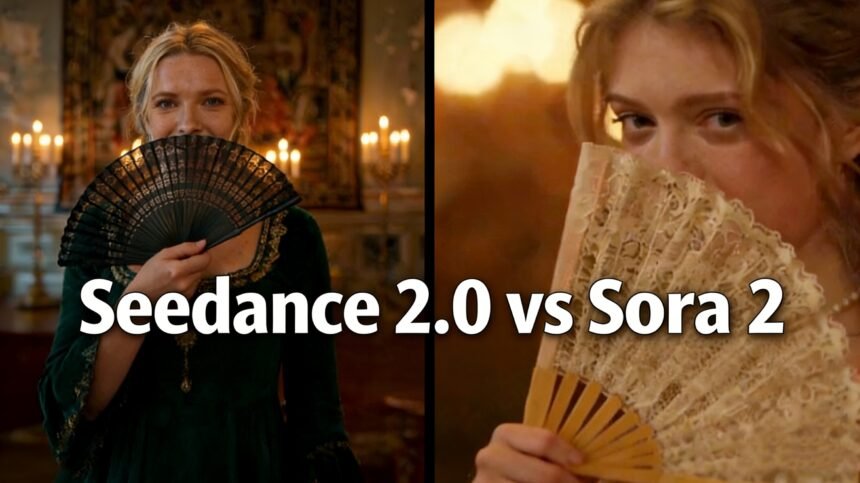
AI video generation has moved fast. In the span of a few months, two models have risen to the top of almost every conversation: OpenAI’s Sora 2 and ByteDance’s Seedance 2.0. Both are impressive. Both can turn a text prompt into a polished video clip. But they are built around very different ideas of what a great AI video tool should do — and if you pick the wrong one for your project, you’ll know it quickly.
This breakdown goes deep on the real differences between the two, so you can make a clear-headed choice.
The Core Philosophy: Control vs. Realism
Before comparing specs, it helps to understand what each model was designed to do.
OpenAI built Sora 2 around physics understanding. It’s a model that thinks like a cinematographer who studied the laws of nature. When you generate a scene with water splashing, fabric blowing in the wind, or a ball rolling off a table, Sora 2 handles those moments with a level of physical accuracy that still stands out in the field. It was built to simulate the real world, not just look good.
ByteDance took a different route with Seedance 2.0. The focus here is creative control — the ability to give the model very specific instructions about what to create, not just a rough description and hope for the best. If you’ve ever struggled with an AI video tool that sort of does what you asked, Seedance 2.0 was built to solve that problem.
This single difference in philosophy ripples through every feature comparison below.
Video Quality and Resolution
Seedance 2.0
Seedance 2.0 outputs video at native 2K resolution (2048×1080), which is currently the highest native resolution among major AI video models. That extra fidelity matters when you’re creating content for large screens, high-definition advertising, or any situation where you want to crop or reframe in post-production without losing quality. The visuals are sharp and consistent, with strong detail at the frame level.
Sora 2
Sora 2 tops out at 1080p for most access tiers. On paper, that’s a step behind. In practice, though, Sora 2 more than makes up for it with visual quality that’s harder to describe in specs: nuanced lighting, accurate shadow behavior, and a photorealistic quality that makes scenes feel grounded rather than generated. If you’re making a product demo or a documentary-style clip, Sora 2 often looks better even at lower resolution.
The takeaway: If raw resolution and sharpness matter most — say for a billboard ad or a large-format display — Seedance has the edge. If the goal is something that looks genuinely real and cinematic, Sora 2 punches above its resolution.
Multimodal Input: How You Guide the AI
This is one of the biggest practical differences between the two models.
Seedance 2.0’s Reference System
Seedance 2.0 supports up to 12 simultaneous reference files, mixing text, images, video clips, and audio in a single generation request. You can upload a photo to define visual style, a video clip to specify how a character moves, and an audio track to sync the rhythm — all at once. The model then interprets those references and builds output around them.
For brand teams, marketers, and anyone doing character-consistent work, this is a game changer. It means you don’t have to rely on long, complex text prompts trying to describe what you want. You can just show the model.
Sora 2’s Input Approach
Sora 2 takes a simpler approach. It primarily works with text prompts and single image inputs for character consistency. It doesn’t support multi-reference or audio reference the way Seedance does. What it lacks in input flexibility, it makes up for in how well it interprets what you describe — the model has a strong grasp of context and spatial relationships from text alone.
Audio Generation
Both models support native audio generation, but they work quite differently.
Seedance 2.0 lets you upload an audio reference — a piece of music, a voiceover, or sound effects — and generates video that syncs to it. It also handles multi-language lip sync across eight or more languages, which makes it particularly useful for international content.
Sora 2 generates audio based on the visual scene: ambient sounds, background music, dialogue. It’s more automatic and less controllable. You get audio that fits the scene, but you can’t specify it precisely.
If audio alignment is important to your workflow — a music video, a branded clip with specific timing, or localized content — Seedance 2.0 has a real advantage here.
Pricing and Access
Here’s where things get interesting.
Sora 2 was available through ChatGPT Plus and Pro subscriptions, with Pro running at $200/month. It offered a mature, well-documented API for developers, though free access was suspended in early 2026. As of April 2026, the Sora consumer app has been shut down, with the API continuing on a wind-down timeline through September 2026.
Seedance 2.0 is still actively available, including a free tier that gives you enough daily credits for real experimentation. Premium access starts at roughly $9.60/month through the Jimeng (Dreamina) platform. If you want to try it without spending anything, you can try Seedance free and get a solid feel for the model before committing.
At roughly $0.60 per 10-second clip compared to Sora 2’s approximately $1.00, the cost-per-generation gap is significant for anyone producing content at volume.
Character Consistency and Editing
One area where Seedance 2.0 has made strong progress is character consistency — keeping a face, outfit, or character recognizable across multiple clips. The role-based asset tagging system lets you label specific people or objects and reference them reliably throughout a project.
Sora 2 handles this reasonably well for single-shot generation, and its world-state persistence keeps spatial relationships consistent across cuts within a single clip. But for a project requiring the same character to appear across many separate generations, Seedance 2.0’s tagging approach is more reliable in practice.
Seedance 2.0 also supports video editing features that Sora 2 doesn’t: you can replace elements inside an existing clip, extend footage, or merge scenes while preserving the original camera angles and lighting.
Which One Should You Use?
Here’s a simple way to think about it:
- Choose Seedance 2.0 if you need precise creative control, high resolution, audio reference support, character consistency across many clips, or an affordable free-tier entry point. It’s the better tool for marketing content, social media videos, and branded work.
- Choose Sora 2 if you need the most physically realistic output possible and are willing to pay for it. It excels at complex motion, nuanced lighting, and cinematic storytelling in longer clips.
Given that Sora 2’s consumer platform has already shut down and its API is on a deprecation timeline, Seedance 2.0 is increasingly the more practical choice for anyone building a content workflow today.
If you’re not sure where to start, the easiest move is to try Seedance for free and see whether the output quality and control tools fit what you’re actually building.