



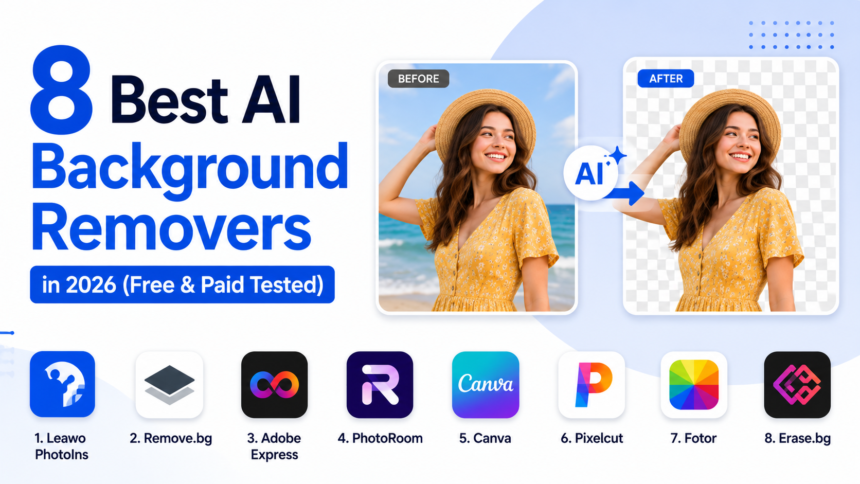
In 2026, AI-powered photo editing has reached a level that would have seemed impossible just a few years ago. One of the biggest breakthroughs has been automatic background removal. What once required hours of manual Photoshop work can now be completed in seconds with a single click.
Over the past few weeks, I personally tested dozens of tools to find the best ai background remover solutions currently available. My goal was simple: identify which tools actually deliver clean cutouts, preserve fine details, and provide the best value for different types of users.
After extensive testing, I found that Leawo PhotoIns offers the best overall balance for most users because it combines background removal, AI enhancement, and image upscaling in one package. However, depending on your needs, other tools may be a better fit.
This guide covers the 8 best free and paid AI background removers available in 2026, including desktop software, online platforms, and mobile-friendly solutions.
1. Self-Test: Which AI Background Remover Is Right for You?
Before diving into the full reviews, here’s a quick summary based on my hands-on testing.
| Tool | Best For | Why? |
| Leawo PhotoIns | Most users who want a balanced AI editor | Removes backgrounds while enhancing photos automatically |
| Remove.bg | Fast background removal | Extremely accurate cutouts in seconds |
| Adobe Express | Content creators and social media users | Combines background removal with design tools |
| PhotoRoom | E-commerce sellers | Creates professional product images quickly |
| Canva | Design beginners | Includes templates and drag-and-drop editing |
| Pixelcut | Online store owners | Supports product image generation and batch editing |
| Fotor | Casual photo editing | Offers multiple AI editing features |
| Erase.bg | Quick transparent PNG creation | Simple and fast background removal |
If you’re still unsure, continue reading. I’ll explain exactly how each tool performed during my testing.
2. My Testing Methodology & Evaluation Dimensions
Whenever I review AI software, I prefer using a standardized testing process rather than relying on marketing claims.
To evaluate each ai image background remover, I created a test library consisting of 25 images designed to challenge AI segmentation models.
These images included:
Hair and Fur
Human hair and animal fur are notoriously difficult for AI to separate accurately. Many tools either leave background artifacts or remove strands that should remain.
Transparency
I tested objects such as:
- Glasses
- Bottles
- Windows
- Transparent packaging
These often reveal weaknesses in AI detection systems.
Image Dehaze
Some tools claim to improve image quality during background removal, so I evaluated whether they could enhance photos while removing backgrounds.
Fine Detail
Images containing jewelry, fabric textures, lace, and intricate patterns helped determine edge precision.
Complex Subjects
Group photos, overlapping objects, and cluttered backgrounds were included to measure real-world performance.
Evaluation Criteria
I scored each platform based on:
- Edge accuracy
- Transparency handling
- Processing speed
- Pricing
- Privacy protection
- Batch processing capability
- Additional editing features
These factors helped me identify which tools consistently produced the best results.
3. The 8 Best AI Background Removers in 2026
1. Leawo PhotoIns
Basic Information
Leawo PhotoIns is a desktop-based AI photo enhancement tool that includes intelligent background removal, photo enhancement, and image upscaling features.
Key Features
- One-click AI background removal
- AI photo enhancement
- AI image enlargement
- Noise reduction
- Batch processing support
What Makes It Stand Out
Unlike many competitors that focus solely on cutouts, Leawo PhotoIns allows me to complete multiple editing tasks without switching software.
After removing the background, I can immediately improve image quality and upscale resolution within the same workflow.
Downsides
- Desktop installation required
- Fewer cloud-based collaboration features
My Using Experience
During testing, Leawo consistently produced clean edges and handled hair surprisingly well. I especially appreciated the ability to enhance image quality after removing the background.
For most users seeking an all-in-one ai background remover, this was the most balanced option I tested.
2. Remove.bg
Basic Information
Remove.bg remains one of the most recognized background removal platforms.
Key Features
- Automatic background removal
- Transparent PNG exports
- API integration
- Fast processing
What Makes It Stand Out
Its speed is remarkable. Most images were processed within seconds.
Downsides
- High-resolution downloads require credits
- Limited editing tools
My Using Experience
Remove.bg delivered some of the most accurate cutouts in my test, particularly around hair and complex edges.
3. Adobe Express
Basic Information
Adobe Express combines AI editing tools with simple graphic design capabilities.
Key Features
- Background removal
- Template library
- Social media design tools
- Brand kits
What Makes It Stand Out
The ability to remove backgrounds and immediately create social content saves significant time.
Downsides
- Advanced features require subscription
My Using Experience
Adobe Express performed well and integrates naturally into content creation workflows.
4. PhotoRoom
Basic Information
PhotoRoom is heavily focused on product photography.
Key Features
- Product image generation
- AI backgrounds
- Marketing templates
- Batch editing
What Makes It Stand Out
Its e-commerce-focused workflow makes it ideal for sellers.
Downsides
- Less useful for general photography
My Using Experience
Product photos looked professional with very little effort.
5. Canva
Basic Information
Canva remains one of the easiest design tools for beginners.
Key Features
- Background remover
- Drag-and-drop editor
- Templates
- Brand assets
What Makes It Stand Out
Users can immediately place cutout subjects into designs.
Downsides
- Premium plan required for some features
My Using Experience
Excellent for beginners learning how to remove background from image files without technical knowledge.
6. Pixelcut
Basic Information
Pixelcut is designed for online sellers and marketers.
Key Features
- AI cutouts
- Product photography tools
- Batch editing
- AI image generation
What Makes It Stand Out
Strong automation capabilities.
Downsides
- Limited advanced photo editing
My Using Experience
Particularly useful for creating product listings quickly.
7. Fotor
Basic Information
Fotor combines background removal with broader AI photo editing.
Key Features
- AI editing suite
- Background removal
- Retouching tools
- AI enhancement
What Makes It Stand Out
A versatile editing platform beyond simple cutouts.
Downsides
- Interface can feel crowded
My Using Experience
A good choice for users seeking multiple AI editing tools.
8. Erase.bg
Basic Information
Erase.bg focuses on simplicity.
Key Features
- Instant background removal
- Transparent PNG exports
- Browser-based workflow
What Makes It Stand Out
Extremely easy to use.
Downsides
- Limited editing capabilities
My Using Experience
Ideal for quick projects and occasional use.
4. How Do All 8 AI Background Removers Compare?
| Platform | Hair/Fur Edge Quality | Transparent Object Quality | Edge Quality | Photo Dehaze | Free Tier | Price | Batch Processing | Offline/Desktop |
| Leawo PhotoIns | Excellent | Very Good | Excellent | Yes | Trial | Paid | Yes | Yes |
| Remove.bg | Excellent | Good | Excellent | No | Limited | Paid Credits | Yes | No |
| Adobe Express | Very Good | Good | Very Good | Limited | Yes | Subscription | Limited | No |
| PhotoRoom | Very Good | Good | Very Good | No | Yes | Subscription | Yes | Mobile/Desktop |
| Canva | Good | Average | Good | No | Yes | Subscription | Limited | No |
| Pixelcut | Good | Good | Good | No | Yes | Subscription | Yes | No |
| Fotor | Good | Average | Good | Yes | Yes | Subscription | Limited | No |
| Erase.bg | Average | Average | Average | No | Yes | Freemium | No | No |
After comparing all eight platforms, I found that each serves a different audience.
5. Free vs Paid AI Background Removers
| Feature | Free Tools | Paid Tools |
| Background Removal | Yes | Yes |
| HD Export | Limited | Yes |
| Batch Processing | Usually No | Yes |
| Commercial Usage | Often Restricted | Included |
| Editing Features | Basic | Advanced |
Who Should Choose Free Tools?
I recommend free tools for:
- Casual users
- Students
- Occasional editing projects
- Social media posts
Many users searching for an ai background remover free solution will find enough functionality for basic tasks.
Who Should Choose Paid Tools?
Paid tools are better suited for:
- E-commerce sellers
- Designers
- Marketing teams
- Agencies
- Professional content creators
The improved accuracy alone often justifies the investment.
Key Factors to Consider Before You Pick
Use Case
Different projects require different levels of precision.
Volume
If you edit hundreds of photos weekly, batch processing becomes essential.
Accuracy Needs
Product photography demands cleaner cutouts than casual social media posts.
Privacy
Desktop software offers more control over sensitive images.
Extra Features
Some platforms provide enhancement and upscaling tools in addition to background removal.
6. FAQs
Can I use AI background removers for commercial purposes?
Yes, many paid plans include commercial usage rights. Always check licensing terms before using images commercially.
Is it safe to upload photos to online AI background removers?
Generally yes, but privacy policies vary. If privacy is critical, desktop software is often the safer option.
Can AI Background Removers replace human editors?
For most standard images, yes. However, highly complex commercial projects may still benefit from professional retouching.
Do AI background removers reduce image quality?
The best tools preserve image quality very well. Poor-quality tools may introduce artifacts or compression.
Can AI remove backgrounds from bulk images automatically?
Yes. Many premium platforms support automated batch processing.
7. Final Verdict
After personally testing every major AI background remover across 25 challenging image scenarios, I found that the best choice depends largely on your specific needs.
For most users, I recommend Leawo PhotoIns. It delivers an excellent balance of automatic background removal, AI enhancement, and image upscaling without requiring multiple separate tools. The workflow is simple, the results are consistently strong, and the overall value is difficult to beat.
If your top priority is precision, Remove.bg remains one of the strongest options for professional-quality cutouts. For e-commerce sellers, PhotoRoom and Pixelcut offer excellent product-focused workflows. Canva and Adobe Express work particularly well for content creators who need integrated design tools.
The good news is that AI-powered background removal has become incredibly accessible in 2026. Whether you’re a beginner learning how to remove background from image files, a designer managing client projects, or a business owner creating product listings, there’s now a solution that fits your budget and workflow.
My recommendation is simple: start with a free tool, evaluate the results, and upgrade only when you need higher accuracy, batch processing, or advanced editing capabilities.