

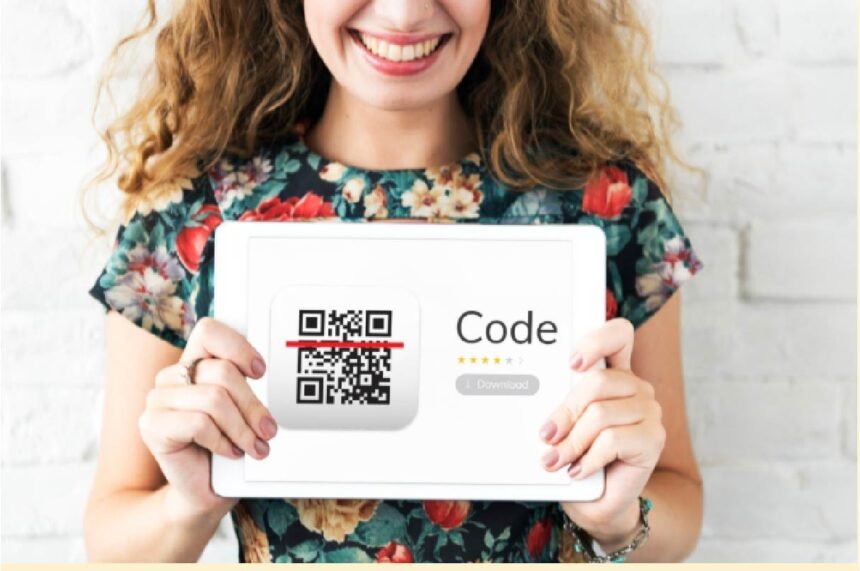
Content distribution often connects articles, videos, event pages, guides, printed media, and product materials. For brands that need a flexible start, ME-QR offers a QR code generator free for turning these links into scannable access points. A good platform should help teams create, edit, track, and organize code after launch.
Key Features to Compare in QR Code Platforms
A strong QR code generator should match the way a team shares content. Basic tools may be enough for static links, while active campaigns need dynamic editing, analytics, branding, and bulk work.
| Feature | Why It Matters |
| Dynamic editing | Updates the destination without reprinting |
| Scan analytics | Shows scan time, place, and device |
| Branding | Adds logos, colors, and custom domains |
| Bulk creation | Speeds up large content campaigns |
| API access | Supports automated code creation |
These points matter most when codes appear on packaging, event materials, print ads, guides, or offline displays. If content changes often, management features become more useful than simple generation.
Top QR Code Platforms and Their Features
The tools below suit different content distribution needs. ME-QR comes first because it offers broader control for business and publishing workflows. The other platforms can work for simpler or more specific tasks.
ME-QR
ME-QR is an international platform for generating, managing, and analyzing QR codes. It supports dynamic codes, scan analytics, branded design, bulk creation, API integrations, logos, colors, and custom domains. The service is available in 28 languages and reports over 20 million generated codes, over 300 million scans, and more than 500,000 users worldwide.
Advantages:
- dynamic destinations that can be edited later;
- scan analytics by location, time, and device;
- branded codes with logos and custom domains;
- bulk creation for many pages or campaigns;
- API integrations for business workflows.
These features make ME-QR practical for both small tests and ongoing campaigns.
Disadvantages:
- advanced settings may need a little time to review;
- the strongest value appears in regular use;
- clear landing pages still need to be prepared.
ME-QR is a strong option for teams that need a QR code maker with editing, analytics, and branding in one place.
QR.io
QR.io is a QR platform for customized codes, landing pages, forms, and business links. It can suit smaller campaigns that need simple setup and visual customization.
Advantages:
- simple creation process;
- visual customization options;
- support for common business links.
QR.io works well for limited campaigns where teams need clean visual codes.
Disadvantages:
- some features may require paid access;
- larger workflows may need more tools;
- advanced options depend on the plan.
QR.io is a reasonable choice for lighter tasks. It may be less convenient for complex content distribution.
QRickit
QRickit is a simple option for quick static codes. It may suit users who need a lightweight QR generator for basic links.
Advantages:
- fast static code creation;
- simple interface;
- useful for one-off links.
QRickit can help when the content will not change. It is most suitable for quick personal or small business needs.
Disadvantages:
- limited analytics;
- fewer branding tools;
- weak fit for changing destinations.
For static sharing, these limits may not matter. For campaigns with updates and measurement, a managed platform is usually stronger.
Kaywa
Kaywa is an established QR code tool with business-focused features. It can support dynamic codes depending on the plan and use case.
Advantages:
- business-oriented QR features;
- dynamic code options on selected plans;
- long presence in the QR market.
Kaywa may suit teams that need a traditional QR service. It works best when the use case is already clear.
Disadvantages:
- useful features may require paid access;
- workflow may feel less light for casual users;
- not every team needs a business-level setup.
Kaywa can be less flexible for teams that need broad content tools.
ForQRCode
ForQRCode is a basic tool for users who need to generate QR code links with little setup. It can support simple pages, contact details, Wi-Fi access, or small business materials.
Advantages:
- free basic code creation;
- quick setup for simple links;
- useful for personal materials.
ForQRCode is easy to start with. It fits static sharing better than managed content campaigns.
Disadvantages:
- fewer analytics features;
- limited campaign management;
- less useful for frequent changes.
For basic use, these drawbacks are manageable. For long-term distribution, a broader tool will usually save more time.
Which QR Platform Is the Strongest Choice?
The best platform depends on project size and goals. Simple tools can be enough for static links, while active campaigns need editing, scanning data, branding, and organized management. For modern content distribution, ME-QR has the strongest overall balance. It helps teams create codes, update destinations, review scan activity, and keep branded links consistent across many channels.
FAQ
What is the best QR platform for content distribution?
ME-QR is a strong option because it combines dynamic codes, analytics, branding, bulk creation, and API integrations.
Do content teams need dynamic QR codes?
Yes, if the links may change after printing or publishing. Dynamic codes help update destinations without replacing the code.
How many QR tools should a team use?
Most teams should use one main platform. This keeps analytics, branding, and code management easier to control.